
Project Overview
E-Commerce Checkout Optimization (Dhobi)
Dhobi (meaning laundryman) connects its users to nearby trusted local laundry providers to let them place online laundry orders. In simple words, Dhobi is DoorDash for laundry. This case study explores the end-to-end process of identifying critical user pain points during a period of rapid growth. By uncovering technical friction and psychological barriers in the checkout journey, I designed a solution that transformed a high-drop-off guest form into an efficient, user-friendly MVP. Successfully streamlined the online ordering process, significantly improving user retention and business outcomes.
Key Terms
Mobile UI
Product Design
UI Design
UX Research
Usability Testing
Design System
Role
Product Designer
Tools
Figma
Figjam
Zeplin
Notion
The Challenge
Research & Findings
User Testing
I started with usability testing to observe real users interacting with the existing guest checkout form, to pinpoint specific usability hurdles and technical friction.
Technical Friction
Identified a critical bug where the auto-fill function was malfunctioning, causing users to abandon the form.
Review Audit
I analyzed negative customer feedback and reviews to understand the psychological barriers preventing users from finishing their orders.
Lack of Transparency:
Customers cited security concerns and significant frustration regarding the inability to track orders in real-time.
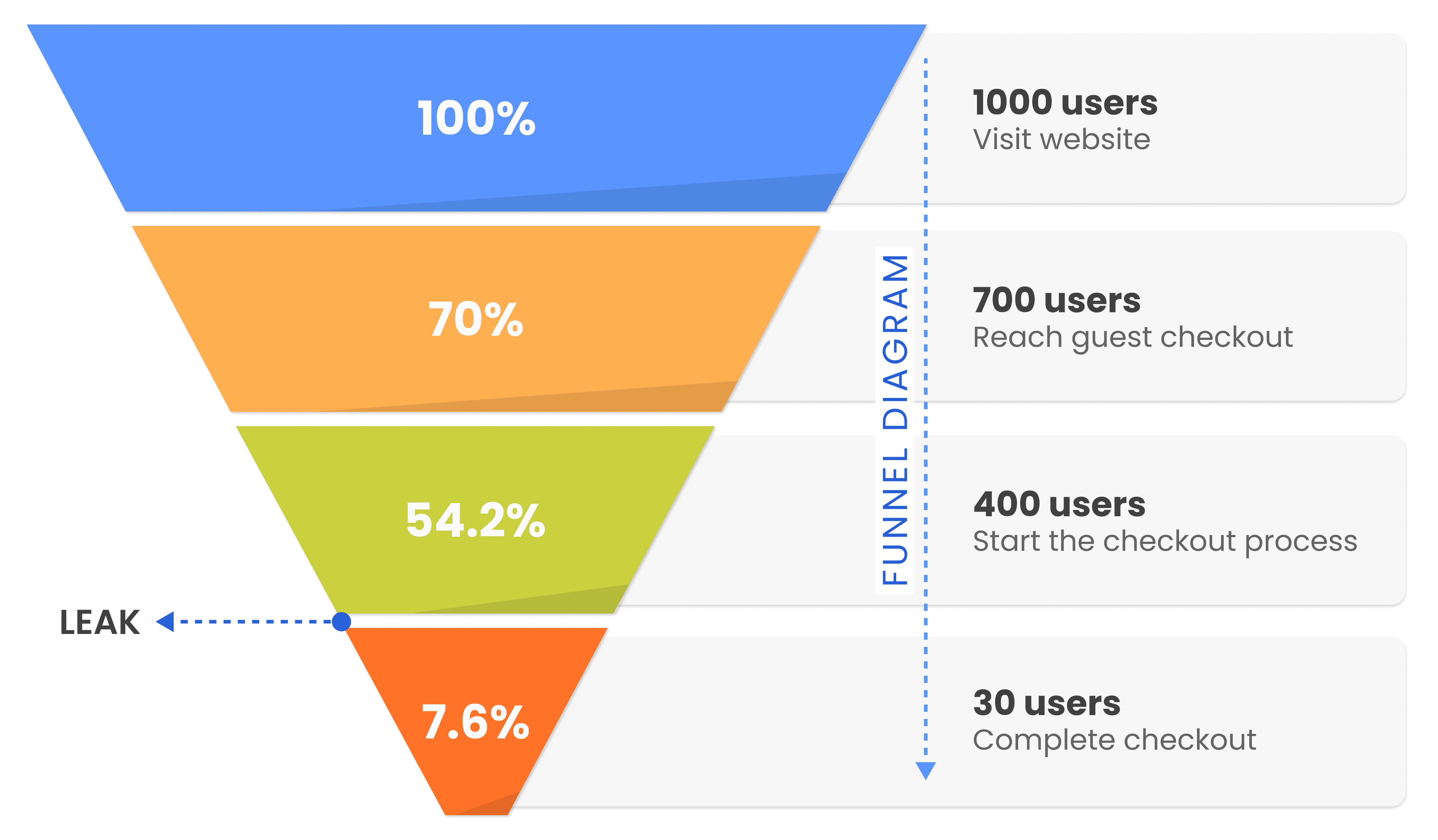
What We Found ?
No order tracking
Longer checkout
Security concerns
Negative reviews
Design Approach
I decided to start small - fix what's broken before adding anything new.
The instinct in a broken funnel is to redesign everything. I resisted that. Instead, I used an MVP framing: identify the highest-impact failure point and fix it first, then layer improvements. The biggest problem was the form itself, so that's where I started. Every design decision was tested against one question: does this help users complete an order faster and with more confidence?
The Solution: A Seamless MVP
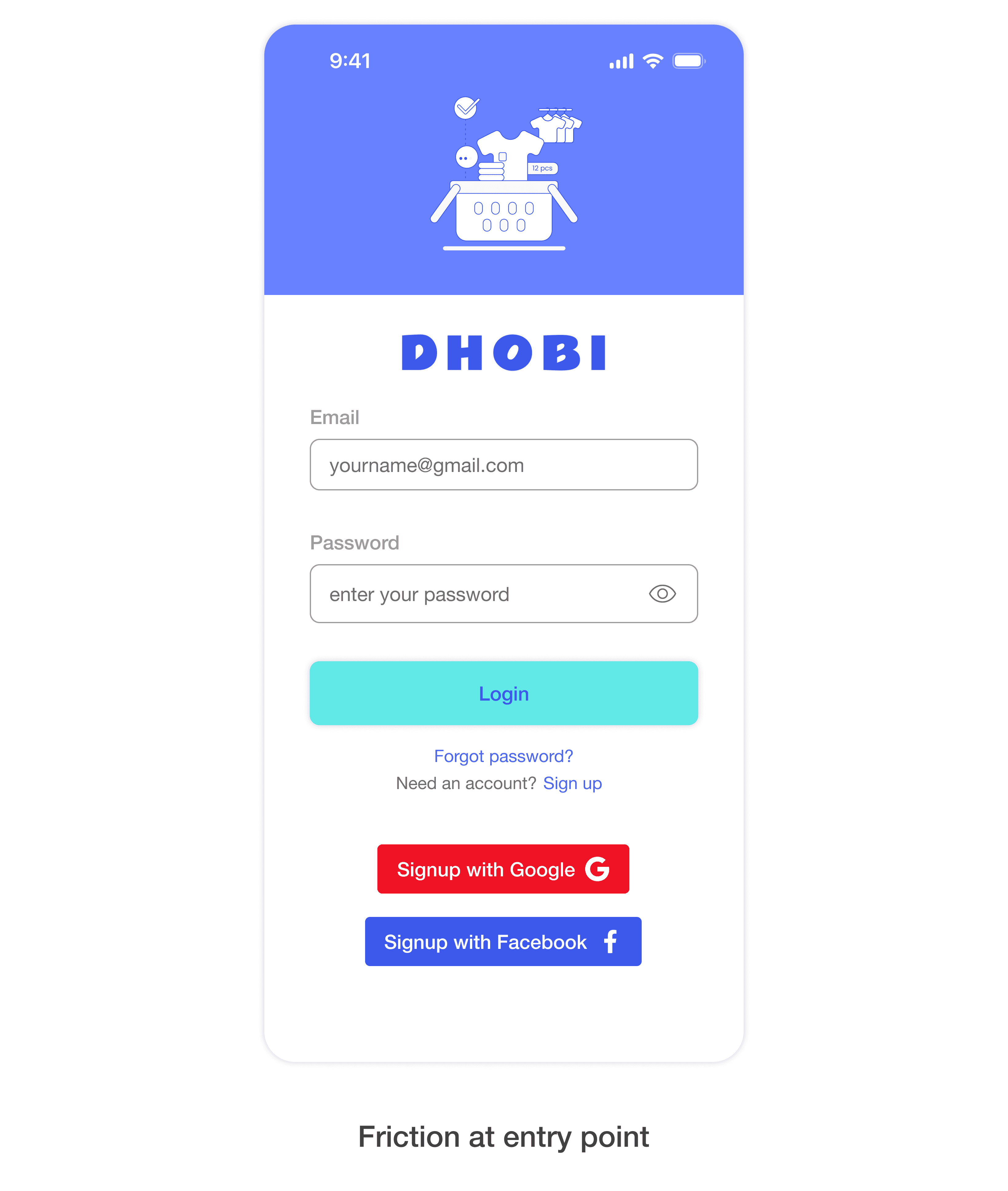
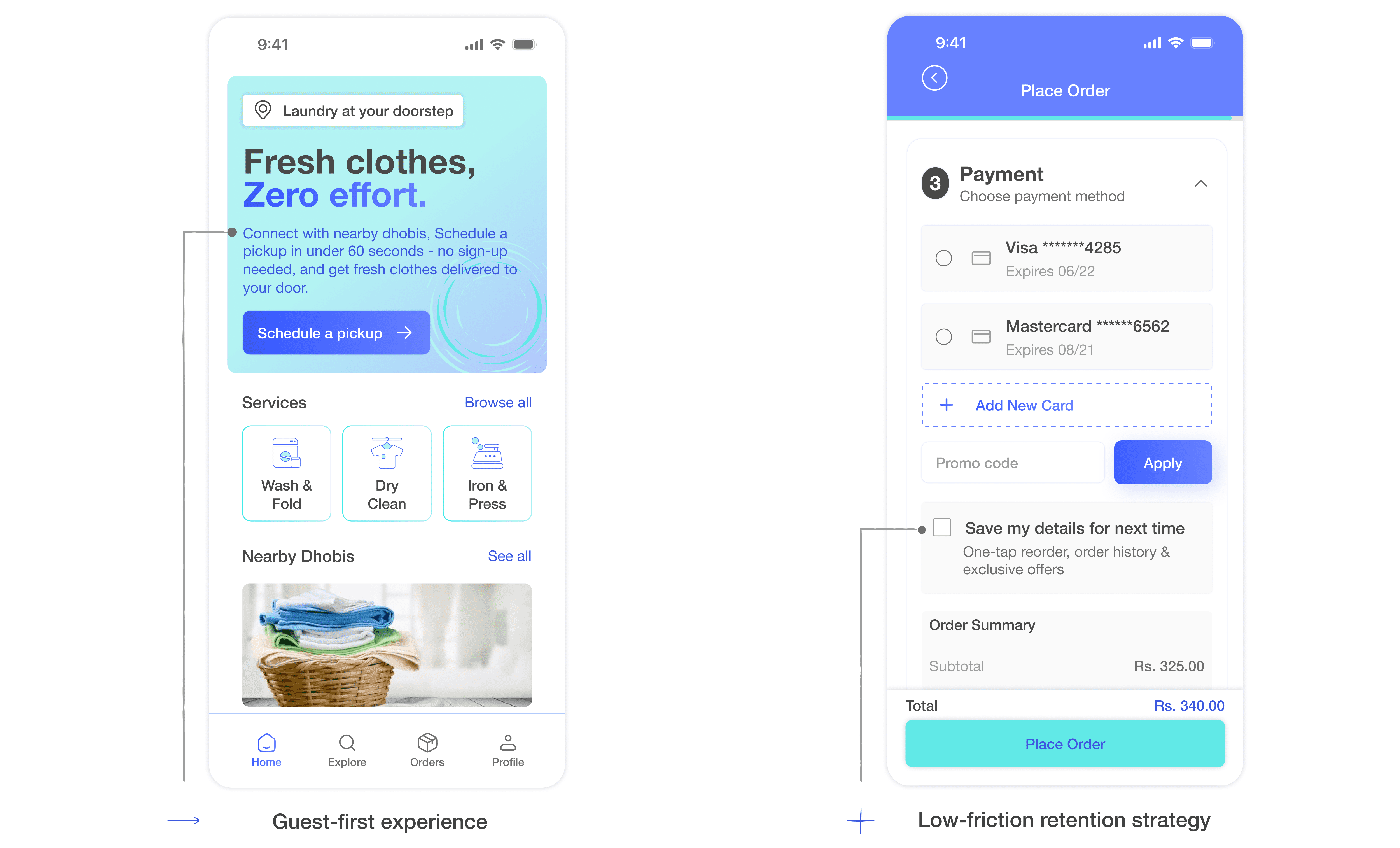
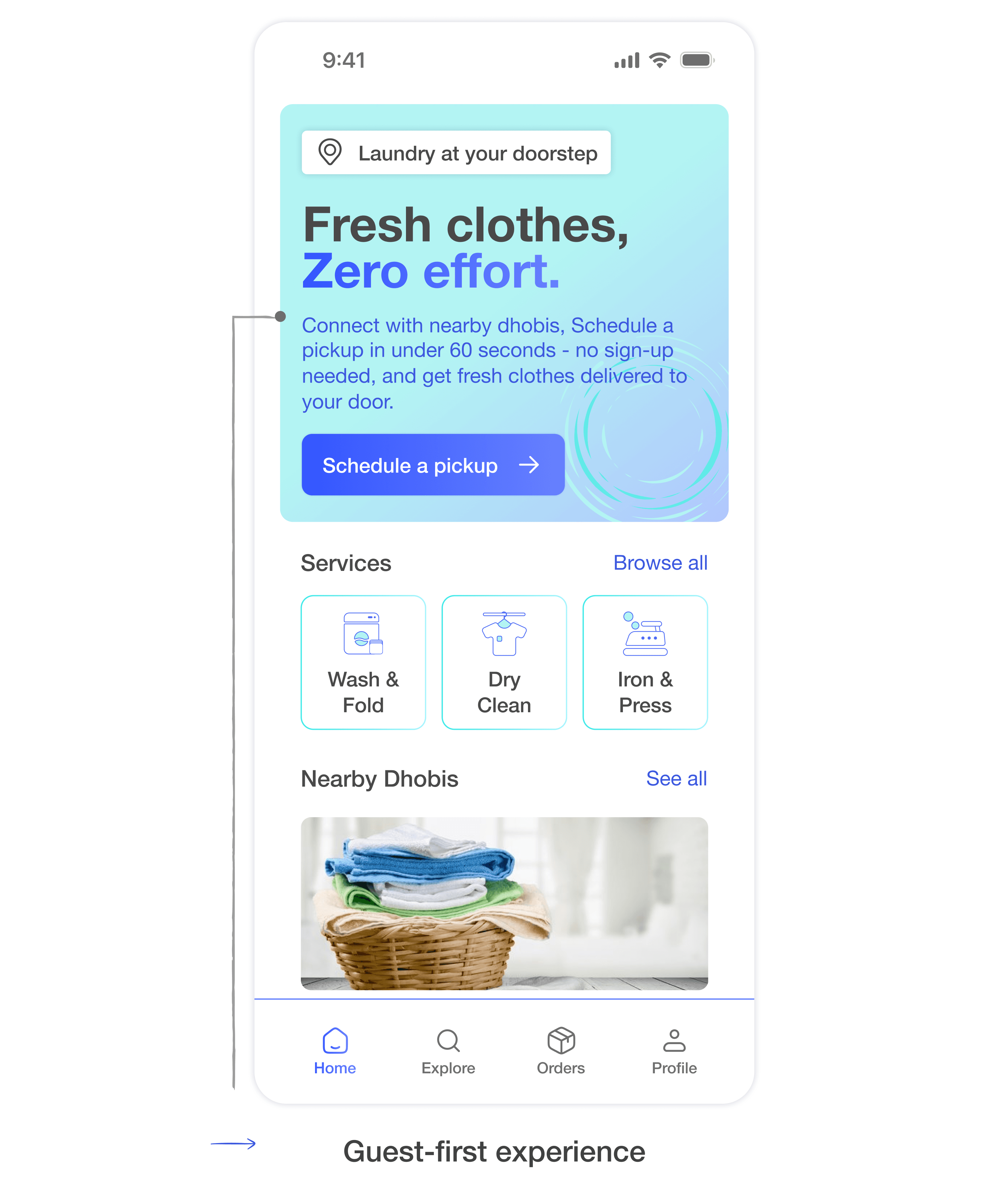
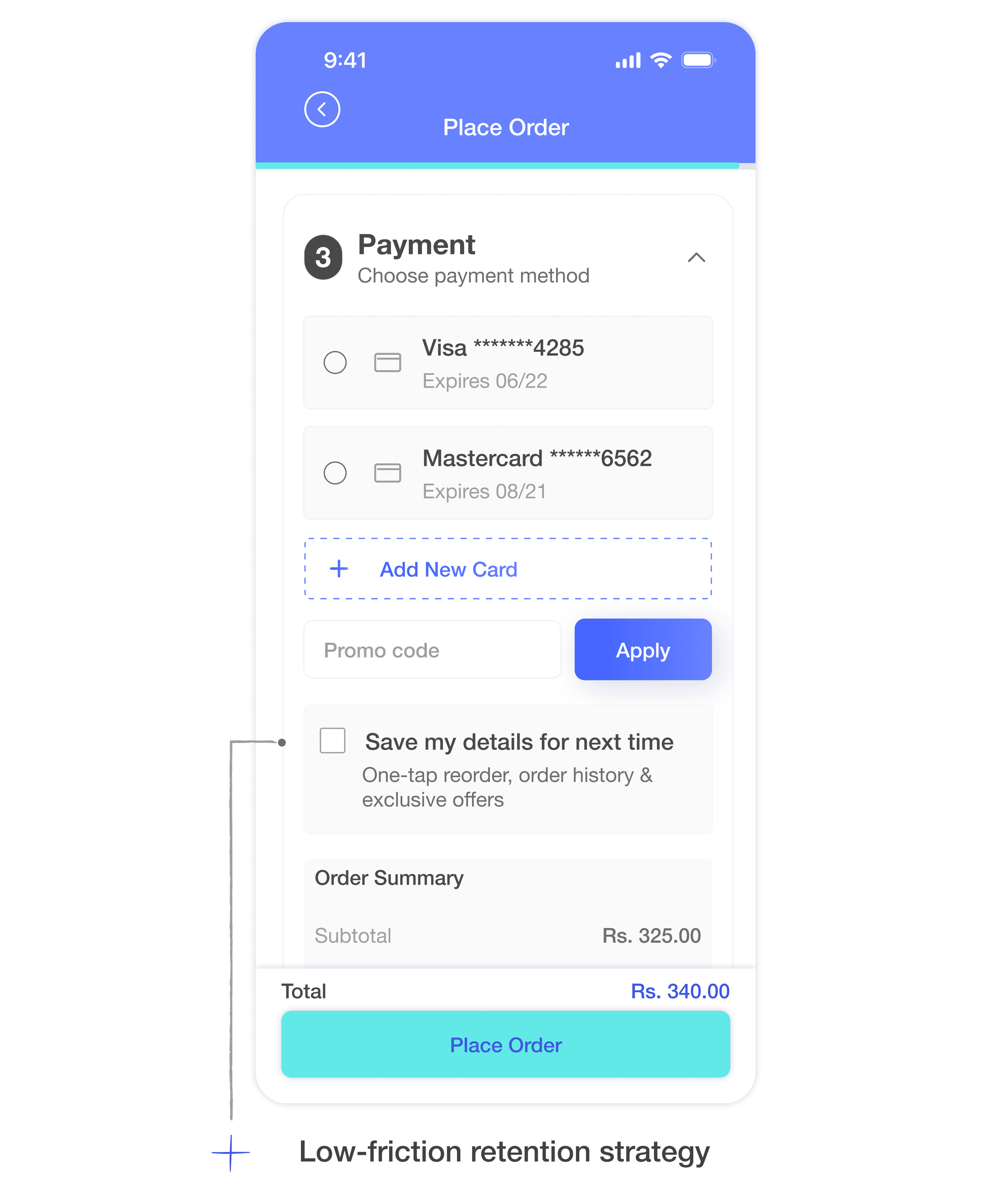
Forcing registration before users had experienced the service was adding unnecessary friction. I kept it as guest checkout but added account creation with a checkbox, a single opt-in that felt natural rather than obligatory, keeping the flow moving while respecting privacy concerns and enabling a faster checkout.
2 · Order Tracking
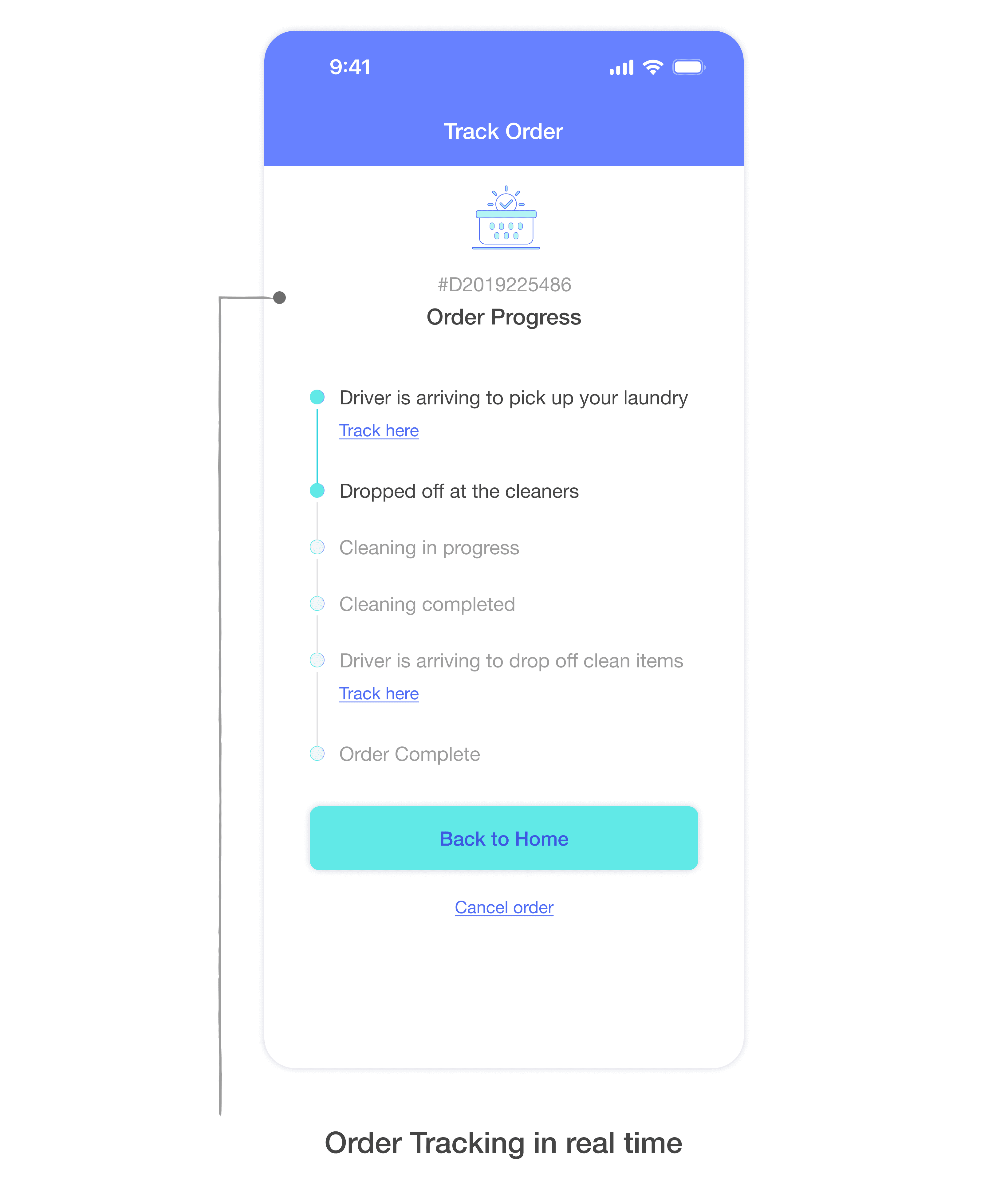
Users had no visibility after placing an order, with clothes physically leaving their hands, this broke trust immediately after checkout.
I designed a tracking screen covering every stage, from order placed to delivery, giving users clarity post-purchase and helping the operations team track orders in real time.
3. One-Page Checkout
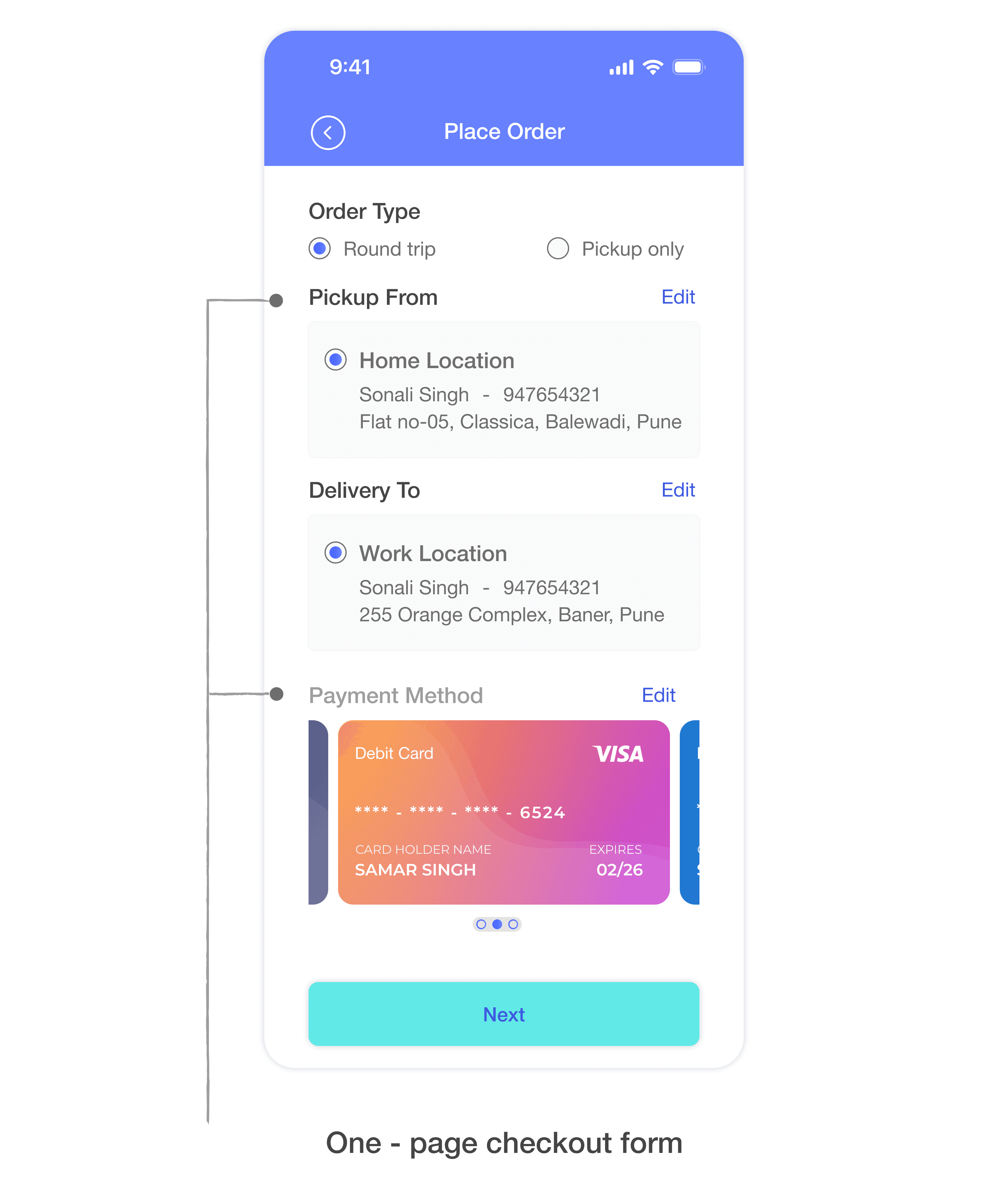
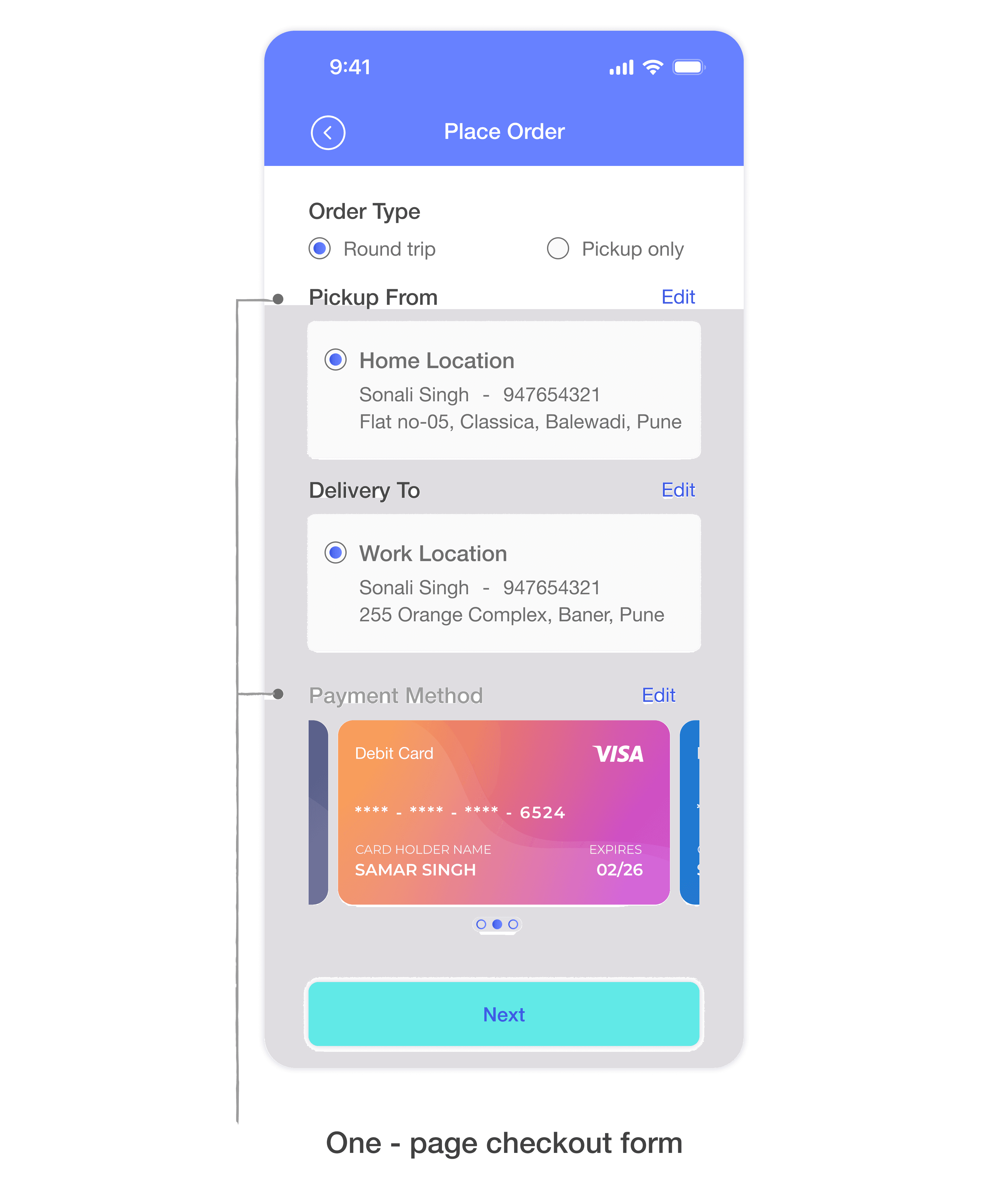
The multi-step form felt like a big commitment before users knew what they were getting into. Moving to a one-page checkout form let users see the full scope upfront, no hidden steps, no surprises. I also used a fancy card layout for payment selection to guide users more naturally through the form.
Usability Testing
After building the one-page checkout, I tested it with 20 users.
What testing revealed:
Most users found the form overwhelming - too much on one screen
7 out of 20 users were unsure what was expected in specific fields
Most users couldn't tell if the payment method had been selected, the visual state wasn't clear enough
Iteration
I worked with engineering to descope the full form rebuild and ship the progress bar as an interim solution, keeping the sprint on schedule.
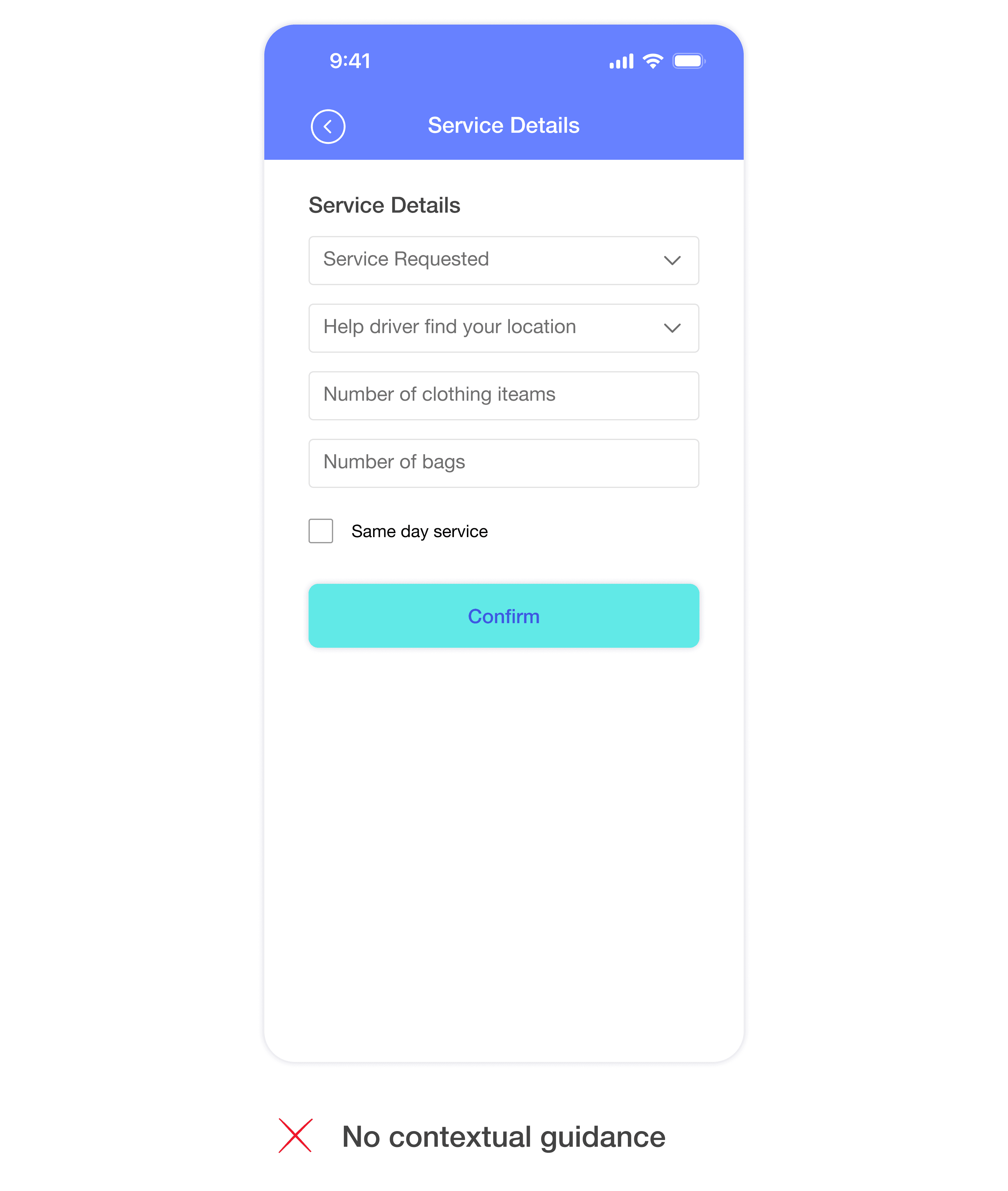
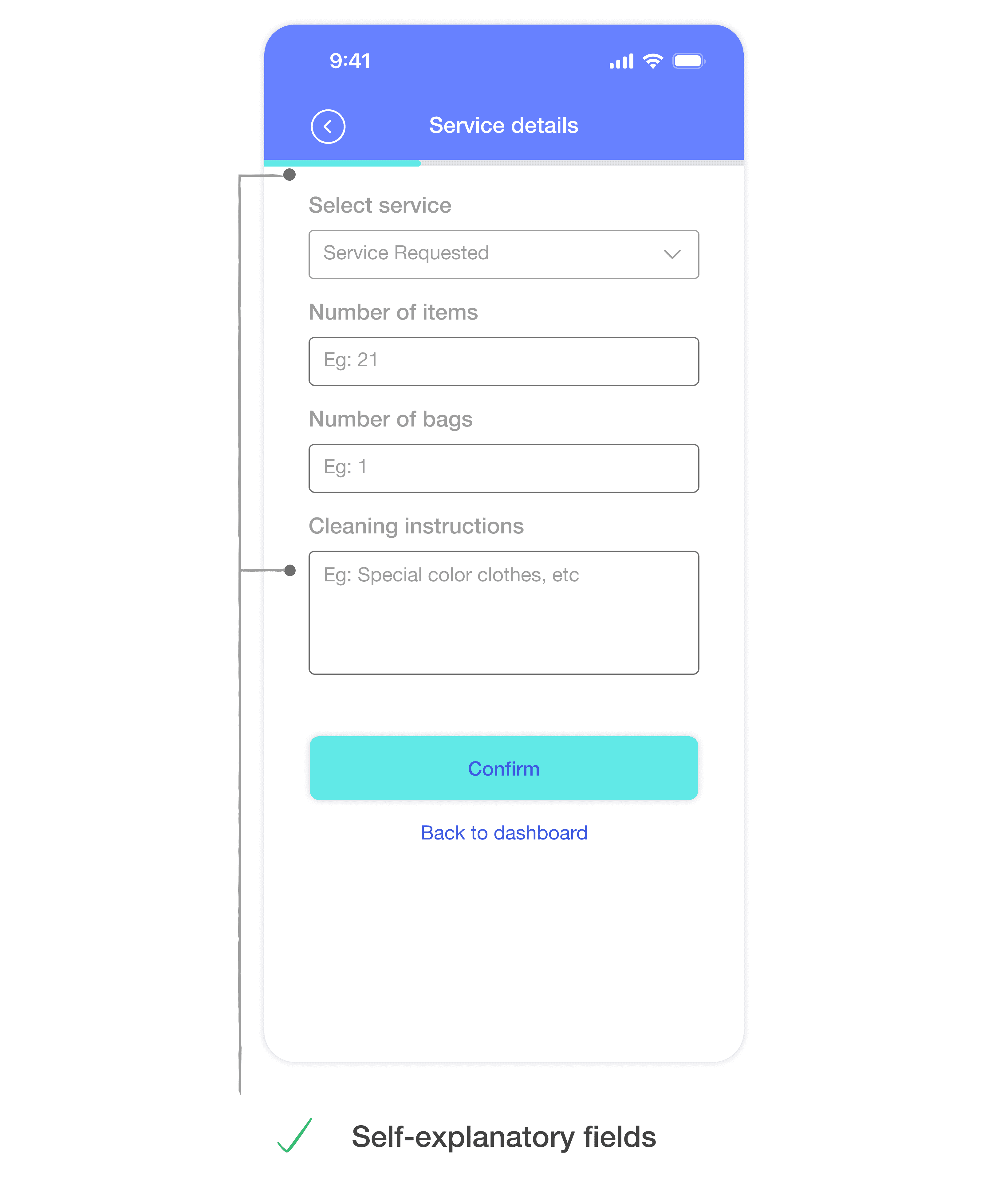
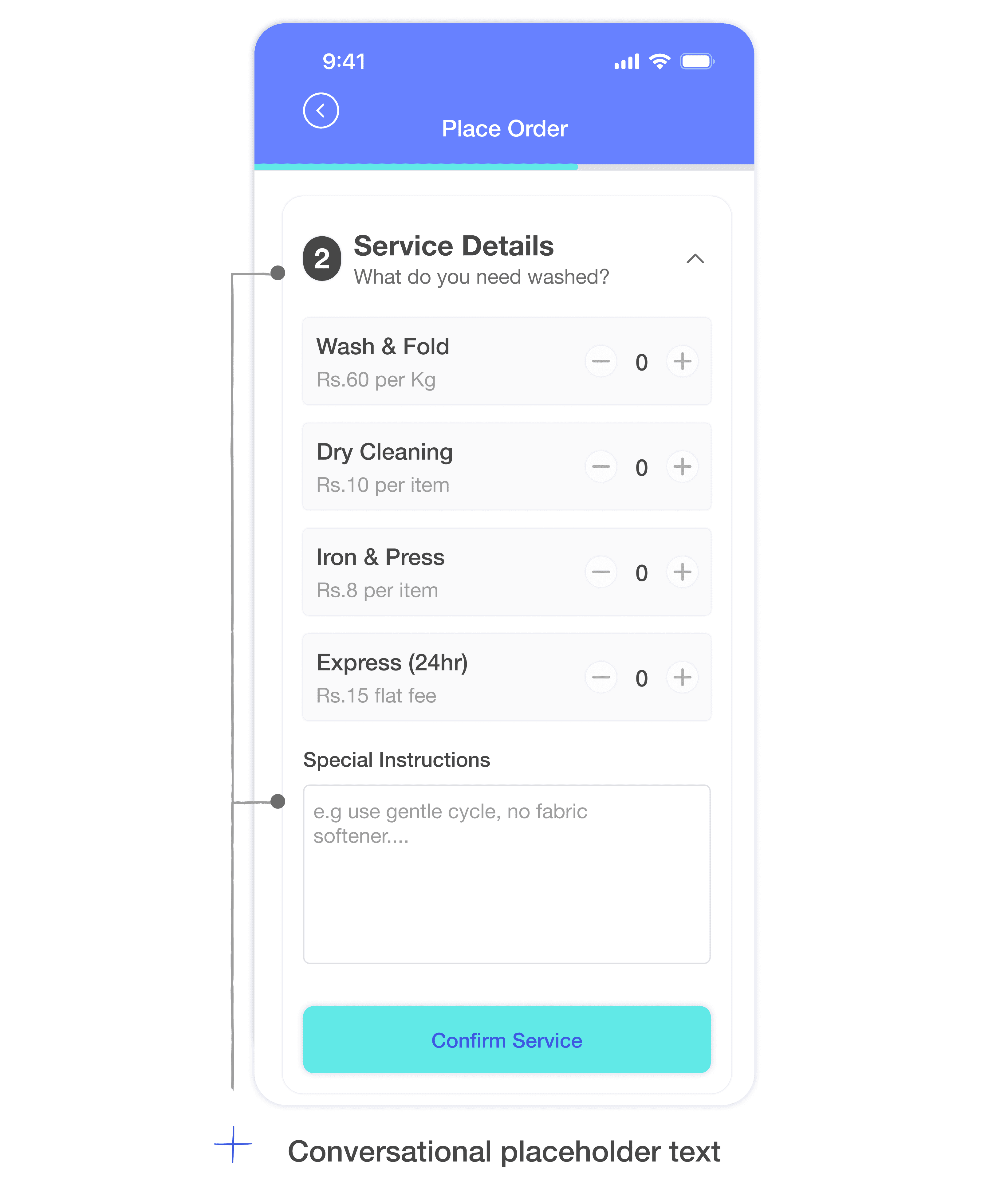
To work on usability I added example text in the placeholders and a progress bar to guide users through the flow, making it clearer and more manageable without restructuring the entire form.
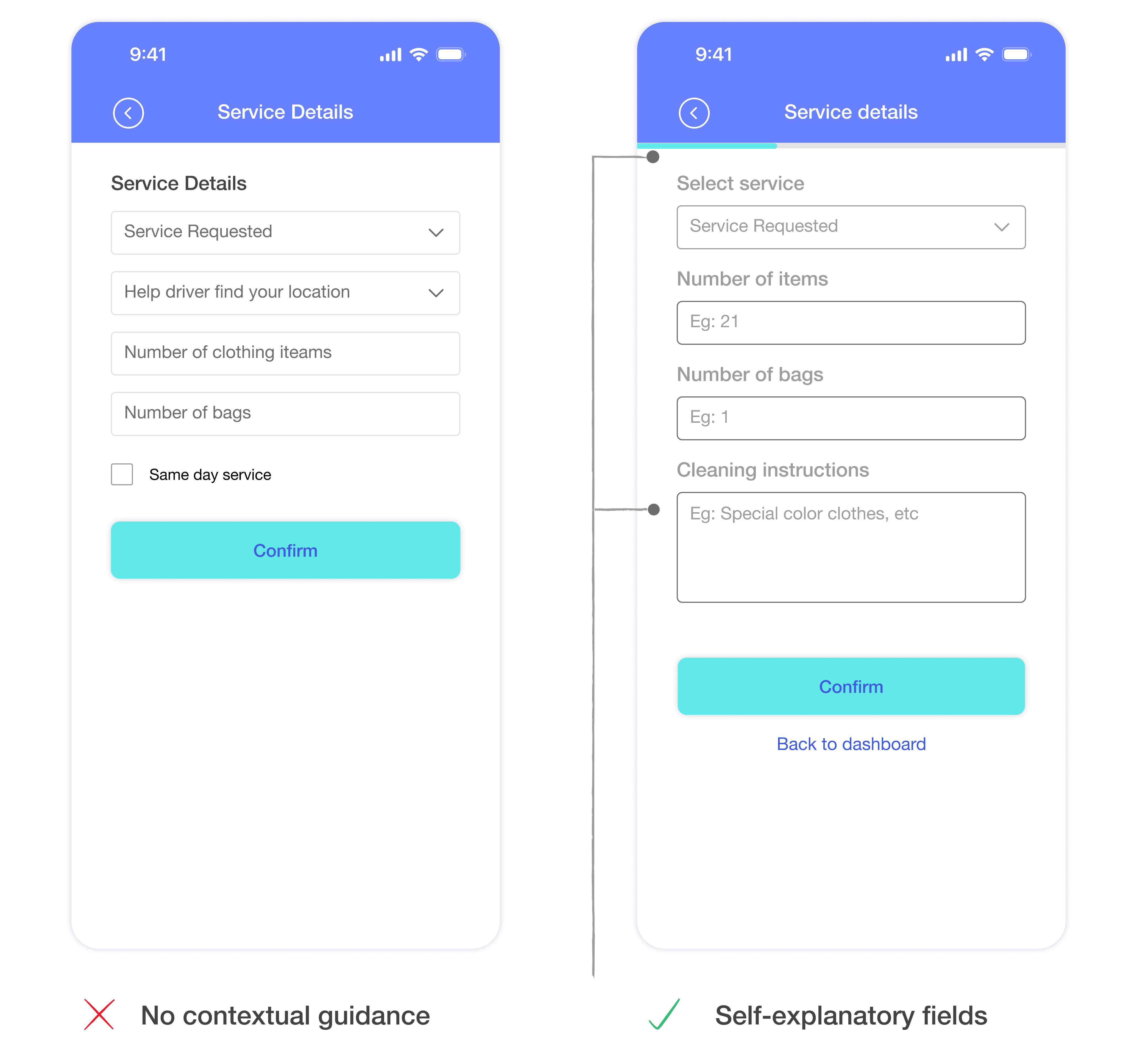
The one-page checkout turned out to be too much, too fast.
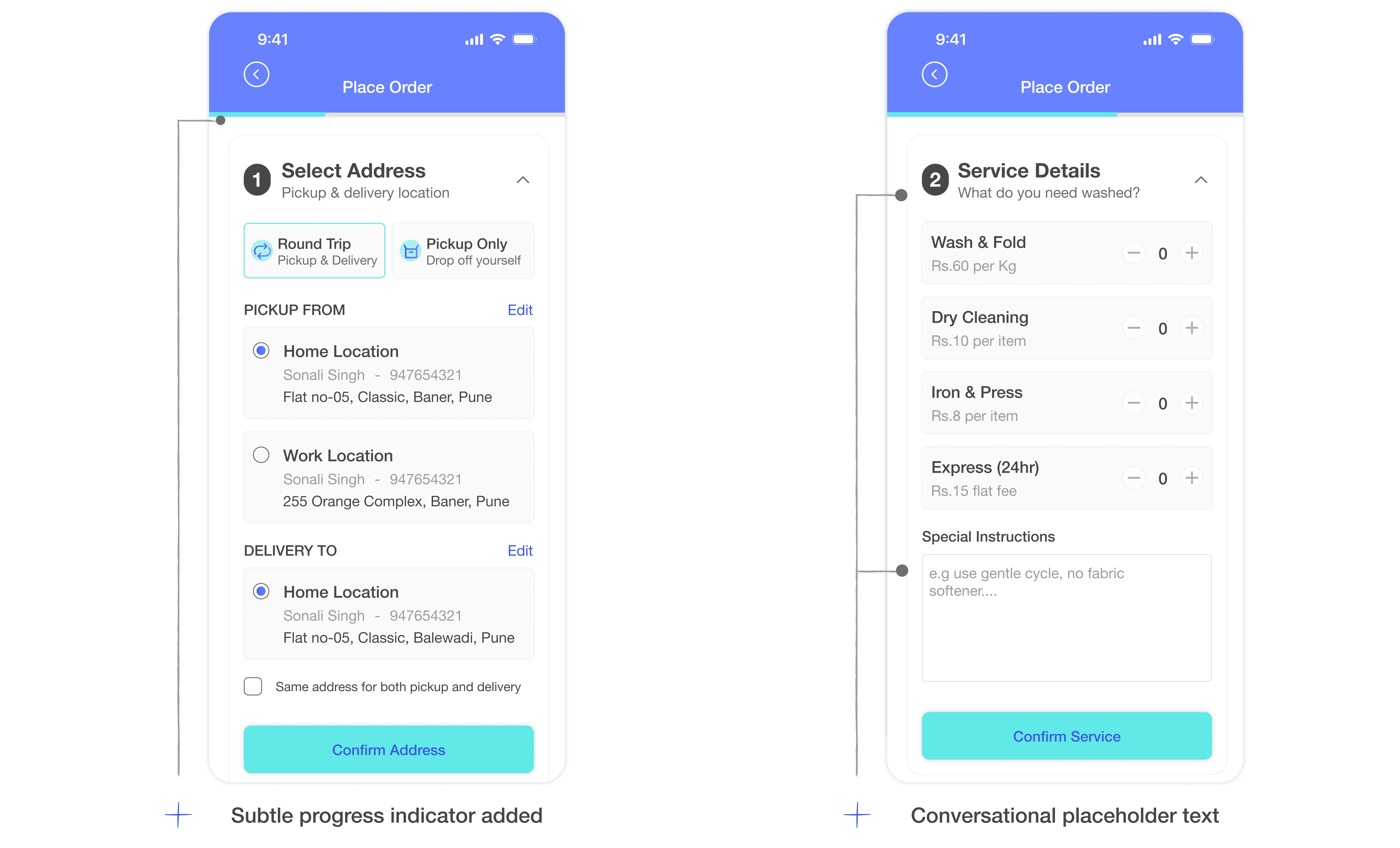
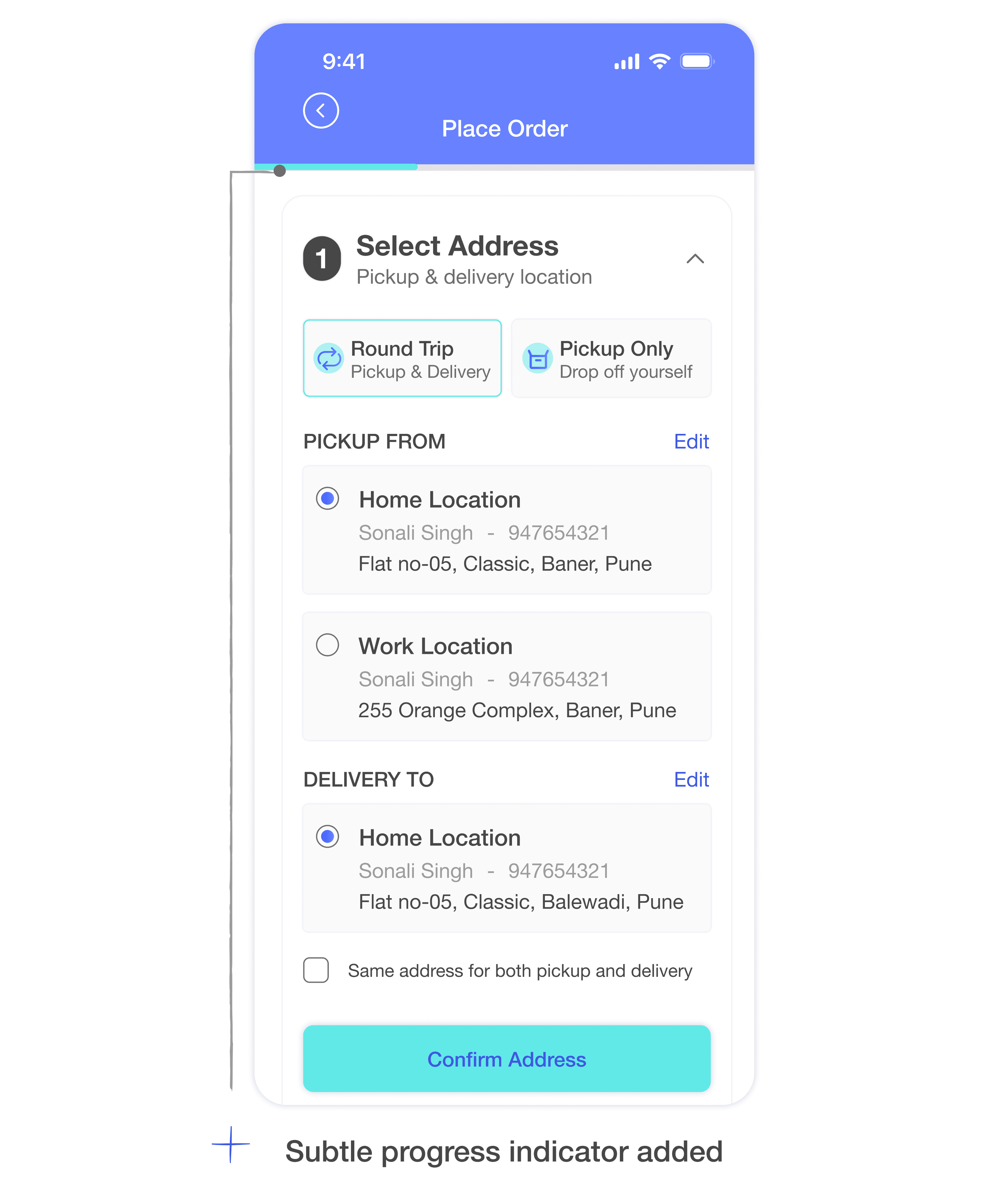
Added a thin progress bar at the top, not intrusive, but enough to orient users within the flow and signal that it was finite
Rewrote placeholder text to be conversational and instructive, not just labelled
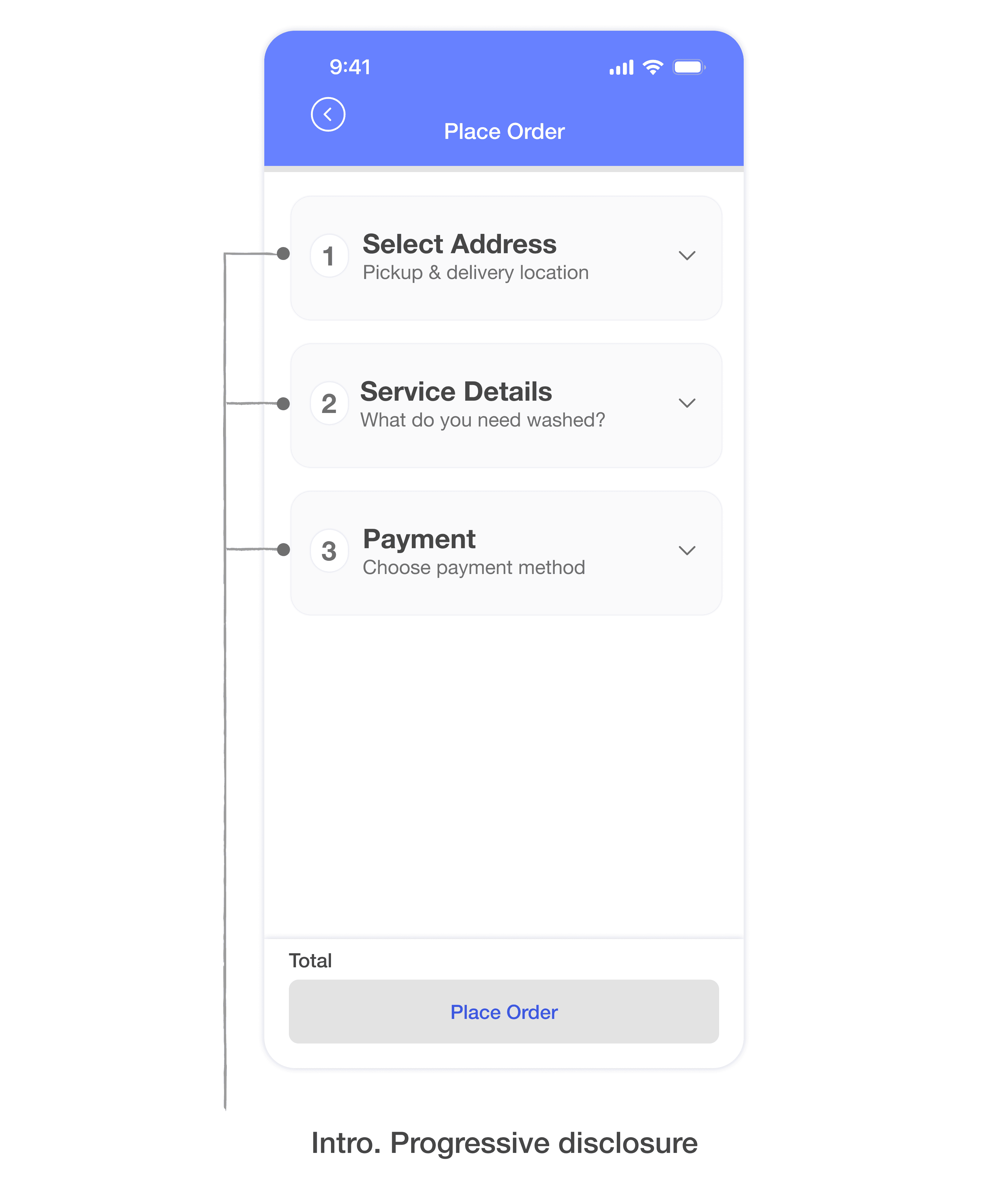
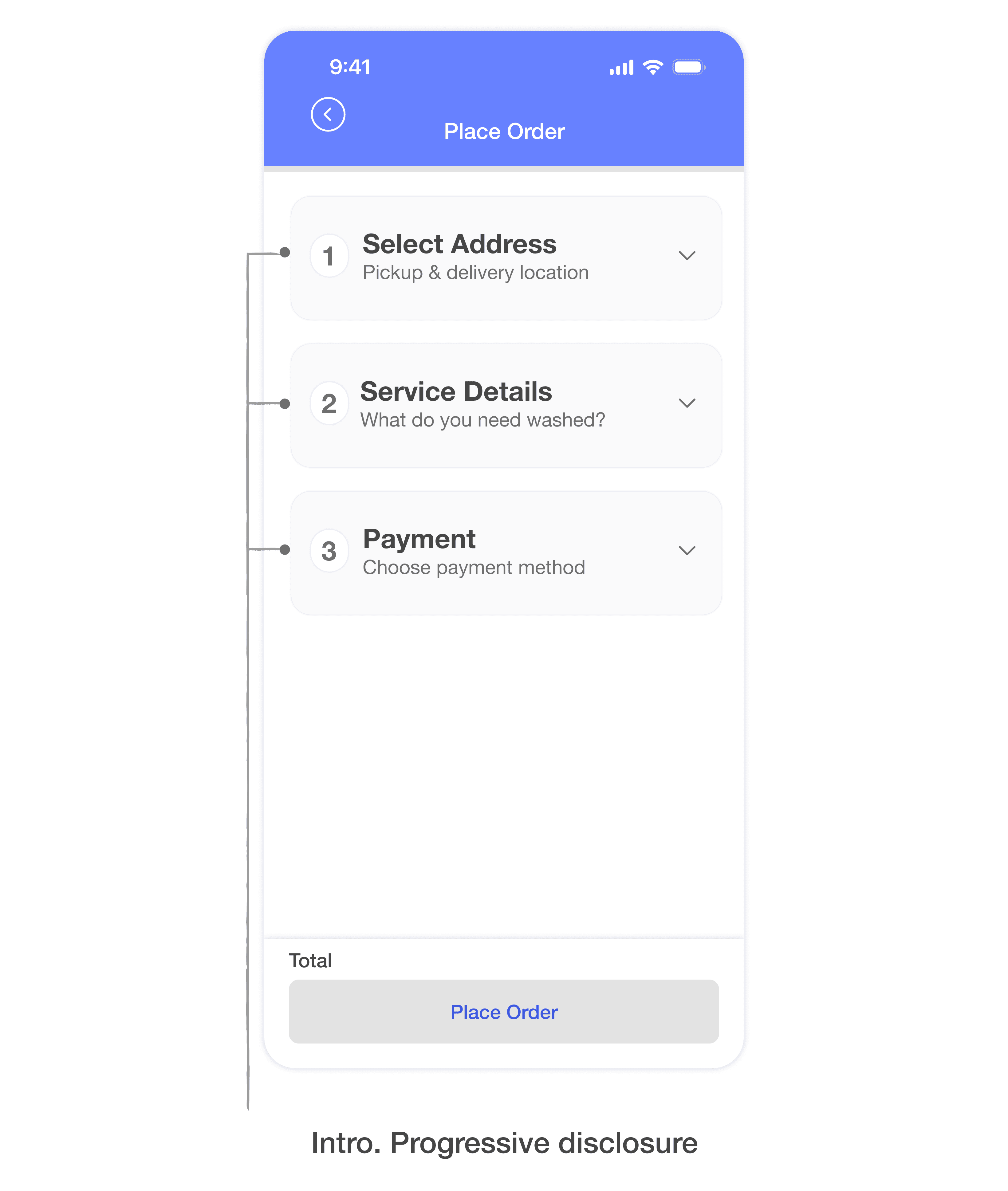
Introduced a stepped reveal, information disclosed progressively rather than all at once, reducing visual overwhelm while keeping the user on one screen
Final Solution
The final solution is a seamless checkout flow that shows one thing at a time and is comfortable to look at.
A progress bar gives users a sense of how far along they are without overwhelming them
A review step lets users verify the form and make any last-minute changes before paying
After payment, users can track their order and view all active and past orders